Brello Rise is a digital wellness studio created to support members who are following medically supervised weight management programs. If you’d like more context on the studio itself before diving into setup, this Brello Rise overview breaks down what it is and who it’s for.
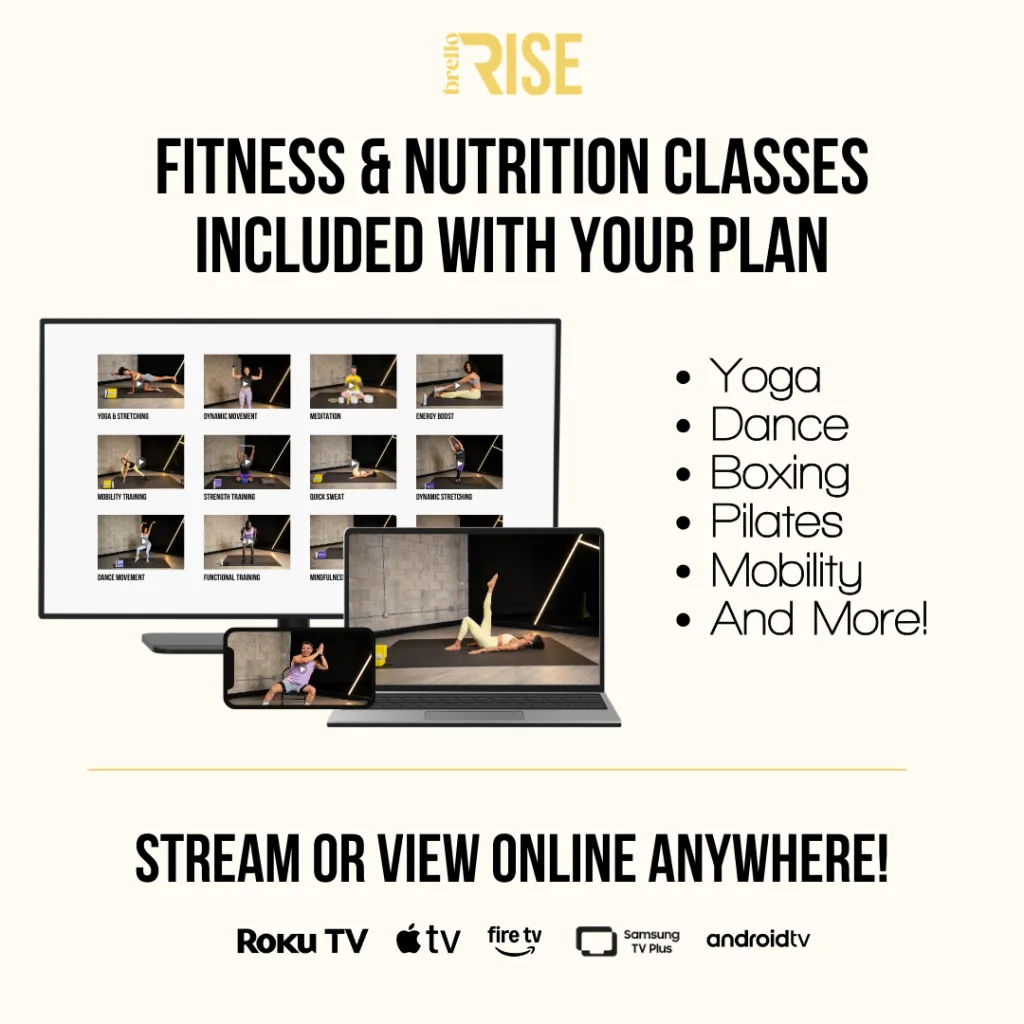
This guide explains how Brello Rise works, from signing in to streaming on your TV and finding classes you may want to repeat.
Step 1: Sign in with the email connected to your Brello account
To access Brello Rise, select Sign In and enter your email. You can choose a passwordless sign-in link sent to your inbox, or you can sign in with your password.
If you forget your password, the FAQ walkthrough explains how to request a reset, and it also notes that passwordless sign-in can be a simple backup option.
Step 2: Choose where you want to watch (TV or browser)
Brello Rise is designed for the big screen, but it can also be streamed through a web browser.
You can watch on:
- Apple TV
- Amazon Fire TV
- Roku
- Android TV
- Samsung Smart TVs (Tizen OS)
You can also stream in a modern browser (Safari, Chrome, Firefox, Edge) on desktop or mobile — no TV app required.
Step 3: Install the TV app (optional) and open “RISE by Brello”
How Brello Rise works can look a little different depending on the device you’re using. If you want the TV experience, you can install the native app:
Apple TV
- Open the App Store
- Search RISE by Brello
- Download and open the app
Amazon Fire TV
- Open the Amazon Appstore
- Search RISE by Brello
- Download and launch
Roku
- Open the Roku Channel Store
- Search RISE by Brello
- Add the channel and open it
Android TV
- Open the Google Play Store on your TV
- Search RISE by Brello
- Download and open
Samsung Smart TV (Tizen)
- Open the Samsung App Store
- Search RISE by Brello
- Download and launch
Step 4: Sign in on TV (two options)
On TV, Brello Rise supports:
- Email + password (using the same login used for your Brello purchase)
- Easy Sign-In (recommended): a QR code or unique code appears on your TV, and you scan or enter it using your phone or browser to sign in quickly.
Step 5: Use the top menu to find what you want today
Once you’re signed in, the site navigation is built to feel simple and repeatable. The top menu includes sections such as:
- Classes (with category options like Yoga, Dance, Meditation, Pilates & Barre, and more)
- Experts (instructor pages and series)
- Nutrition (including sections like “Everybody Cooks” and “Jus Mix It Up”)
If you see “Catalog” referenced in help text, it may refer to the main place where all videos live (or the equivalent section name in the menu).
Step 6: Pick classes that fit real life (short sessions count)
Brello Rise highlights short sessions built for consistency. The platform calls out 5–15 minute workouts, along with low-impact and no-equipment options.
A simple way to use Brello Rise is to choose one small session at a time:
- a short movement class,
- a calming mindfulness session,
- or a nutrition lesson.
Small repeats can feel more doable than trying to “do everything” in one day.
Step 7: Follow Weekly Wellness Plans or browse on demand
Brello Rise describes two common ways to stay consistent:
- Weekly Wellness Plans: guided weekly calendars that blend fitness, yoga, and mindfulness, so you may spend less time deciding what to do next.
- Hundreds of on-demand classes: an ongoing library of workouts, meditations, and wellness tutorials.
Step 8: Know what’s available on mobile today
The Rise FAQ says there is not an iOS or Android mobile app for Rise yet, and it also notes a plan to make Rise accessible directly through the Brello mobile app.
For now, your phone can still be helpful for:
- streaming in a browser,
- Easy Sign-In on TV,
- basic account management.
Step 9: Troubleshooting playback and login issues
If video playback buffers or stutters, the FAQ suggests checking your connection (with a recommended minimum of 25 Mbps) and trying steps like refreshing the page, switching browsers, or clearing your cache.
Also, each email address can only be tied to one account. If you think you already have an account, the FAQ recommends using password recovery tools instead of creating a second account. If you still need help, support is available at info@brellohealth.com.
Frequently Asked Questions About How Brello Rise Works
-
How do I log in to Brello Rise?
To log in, select Sign In and enter the email connected to your Brello account. You can use a passwordless sign-in link sent to your inbox or sign in with your password.
-
What should I do if I forget my Brello Rise password?
On the sign-in page, choose the password option and follow the reset steps for the email on your account. Passwordless sign-in may also be a simple backup option if you do not want to reset it right away.
-
Can I watch Brello Rise on a TV?
Yes. Brello Rise is available on supported TV platforms such as Apple TV, Amazon Fire TV, Roku, Android TV, and Samsung Smart TVs running Tizen OS.
-
Can I use Brello Rise without a TV app?
Yes. You can stream Brello Rise in a modern browser on desktop or mobile, including Safari, Chrome, Firefox, and Edge.
-
How does Easy Sign-In work on TV?
When you open Brello Rise on your TV, a QR code or unique sign-in code may appear. You can scan or enter that code with your phone or browser to sign in more quickly.
-
Is there a Brello Rise mobile app?
Not yet. For now, Brello Rise can still be accessed through your phone’s browser, and your phone may also help with Easy Sign-In and account-related steps.
-
What can I find inside Brello Rise after I sign in?
After signing in, you can browse sections such as Classes, Experts, and Nutrition. Depending on the platform, the full video library may also be labeled as the Catalog.
-
Does Brello Rise only offer long workouts?
No. Brello Rise also highlights shorter sessions, including 5–15 minute options, along with low-impact and no-equipment classes that may fit more easily into daily life.
-
Can I follow a plan, or do I have to choose classes one by one?
You may do either. Brello Rise includes Weekly Wellness Plans for more structure, and it also offers on-demand classes if you prefer to browse based on what fits your day.
-
Why is Brello Rise buffering or not playing smoothly?
Playback issues are often related to connection speed or browser performance. Brello Rise recommends a minimum internet speed of 25 Mbps, and it may also help to refresh the page, switch browsers, or clear your cache.
-
Can I create a second Brello Rise account with the same email?
No. Each email address can only be connected to one account. If you think you already signed up, it is usually better to recover your existing login instead of creating another account.
-
Can I download Brello Rise videos to watch offline?
Brello Rise content is generally designed for streaming. Availability for offline viewing may depend on where the content is being accessed, so the main experience should be treated as browser or TV streaming.